 can help you build one that actually fits the way you work.** ## What Technologies Power an AI Virtual Assistant? Here's a quick, scannable summary of the main building blocks: | Technology | What It Does | |---|---| | **Natural Language Processing (NLP)** | Helps the assistant read and interpret human language | | **Natural Language Understanding (NLU)** | Identifies intent and extracts key details from a request | | **Large Language Models (LLMs)** | Generate flexible, human-like responses and handle complex questions | | **Speech Recognition (ASR)** | Converts spoken words into text | | **Text-to-Speech (TTS)** | Converts text responses into natural-sounding speech | | **Machine Learning (ML)** | Helps the system learn patterns and improve over time | | **APIs and Integrations** | Connect the assistant to business tools and data | | **Knowledge Base / Retrieval** | Gives the assistant accurate, up-to-date information to draw from | ## What Are the Different Types of AI Virtual Assistants? Not every virtual assistant works the same way. Here are the main categories. **Rule-based assistants.** These follow pre-written scripts and decision trees. They're predictable and good for simple tasks, but they struggle when customers phrase things unexpectedly. **AI-powered conversational assistants.** These use NLP and machine learning to understand free-form language. They're far more flexible and can handle a wide range of questions. **LLM-powered assistants.** The newest generation uses large language models to hold fluid, natural conversations, summarize information, and reason through multi-part requests. **Voice assistants.** These specialize in spoken interactions, whether on smart speakers, phones, or automated call systems. **Agentic assistants.** An emerging category, these assistants don't just respond; they can plan and carry out multi-step tasks on your behalf, such as researching options, filling out forms, or coordinating across several apps, all within boundaries you define. ## What Is the Difference Between an AI Virtual Assistant and a Chatbot? People often use these terms interchangeably, but there's a useful distinction. A **chatbot** is typically designed for a narrow purpose, usually answering questions or following a set script within a chat window. A **virtual assistant** is generally broader: it understands context, works across multiple channels, connects to several systems, and can complete a wider range of tasks. In practice, the line is blurring. Many modern chatbots are really AI virtual assistants under the hood. The key difference to look for is capability: can it merely respond, or can it understand, remember, and act? ## What Are the Real-World Uses of AI Virtual Assistants? Virtual assistants are showing up in nearly every industry. Here are some of the most common uses. **Customer support.** Answering FAQs, tracking orders, handling returns, and escalating tricky issues to human agents, all around the clock. **E-commerce.** Recommending products, answering sizing and shipping questions, and nudging shoppers who hesitate at checkout. **Healthcare.** Scheduling appointments, sending reminders, and answering basic administrative questions (while leaving medical decisions to professionals). **Banking and finance.** Checking balances, explaining fees, and guiding customers through routine account tasks securely. **Real estate.** Answering listing questions, qualifying leads, and booking property viewings. **Hospitality and travel.** Handling reservations, itinerary questions, and local recommendations. **Human resources.** Answering employee questions about policies, benefits, and time off, and helping with onboarding. **Sales and marketing.** Qualifying leads, capturing contact details, and booking demos for the sales team. ## What Are the Benefits of Using an AI Virtual Assistant? Businesses and individuals adopt virtual assistants for good reasons. - **24/7 availability.** Help is there whenever customers need it, across every time zone. - **Instant responses.** No more waiting in queues or for email replies. - **Cost efficiency.** Handling more conversations without proportionally growing your team. - **Consistency.** The same accurate answer every time, based on your approved information. - **Scalability.** Whether you have ten conversations a day or ten thousand, the assistant keeps up. - **Happier teams.** Employees spend less time on repetitive tasks and more on meaningful work. - **Useful insights.** Conversations reveal what customers really want to know, helping you improve your products, website, and policies. - **More sales.** Quick answers and helpful recommendations remove friction and help customers complete purchases. **Curious how much time and money a virtual assistant could save your business? [nexstairai.com](https://nexstairai.com/) can help you map out the opportunity and get started without the guesswork.** ## What Are the Limitations of AI Virtual Assistants? It's worth being realistic. Even great assistants have limits. - **They can misunderstand.** Unusual phrasing, heavy ambiguity, or very niche topics may trip them up. - **They depend on their information.** If the knowledge base is outdated or incomplete, the answers will be too. - **They can sometimes be wrong.** Language-model-based systems may occasionally produce confident but inaccurate responses, which is why guardrails and good source material matter. - **They lack true human empathy.** They can detect sentiment, but emotionally sensitive situations still benefit from a real person. - **Privacy and security need attention.** Handling personal data responsibly requires proper safeguards and compliance. The good news is that all of these can be managed with thoughtful design: clear boundaries, quality information, regular reviews, and an easy path to a human when needed. ## How Do You Choose the Right AI Virtual Assistant for Your Business? If you're thinking about adopting one, ask yourself these questions. 1. **What problem am I solving?** Support volume, lead capture, scheduling, internal help, or something else? 2. **Which channels do my customers use?** Website, WhatsApp, Instagram, email, phone? 3. **What systems does it need to connect to?** Your CRM, calendar, store, or helpdesk? 4. **How customizable is it?** Can you control tone, workflows, and escalation rules? 5. **How does it handle human handoff?** The transition should be smooth, with full context passed along. 6. **What does security look like?** Look for data protection and compliance with regulations relevant to your customers. 7. **Can I see performance data?** Good analytics help you measure and improve. 8. **What support will I get?** Setup and ongoing optimization make a big difference to results. ## How Do You Get Started With an AI Virtual Assistant? You don't need a massive project to begin. A simple path looks like this: 1. **Identify your top 5 to 10 most common customer questions or tasks.** 2. **Gather accurate, up-to-date information** such as FAQs, policies, and product details. 3. **Choose a platform or partner** that fits your needs and integrates with your tools. 4. **Set up and test** with real-world questions before launching. 5. **Launch on one channel first**, then expand as you gain confidence. 6. **Review conversations regularly**, improving responses and adding new capabilities over time. Starting small and growing steadily is almost always better than trying to automate everything at once. ## What Does the Future Hold for AI Virtual Assistants? The technology is moving quickly. A few trends worth watching: - **More proactive help.** Assistants that reach out with useful information before you ask, such as shipping delays or appointment reminders. - **Greater autonomy.** Agentic assistants that complete multi-step tasks within rules you set. - **Richer personalization.** Better memory of preferences and history, creating more natural, tailored experiences. - **Multimodal interaction.** Assistants that understand text, voice, images, and documents all in one conversation. - **Smoother voice experiences.** Phone and voice interactions that feel increasingly human and natural. - **Stronger safeguards.** Better accuracy controls, privacy protections, and transparency about when you're talking to AI. The businesses that start learning and experimenting now will be best positioned to benefit as these capabilities mature. ## Final Thoughts: Is an AI Virtual Assistant Worth It? An AI virtual assistant is, at its heart, a digital teammate. It listens to what people ask, understands what they mean, finds or does what's needed, and responds in a way that feels natural, all in a matter of seconds and at any hour of the day. Under the hood, it's a clever combination of speech recognition, language understanding, decision-making, integrations, and language generation. But from the customer's point of view, it's simple: they ask, and they get helped. For businesses, the payoff is faster service, lower costs, happier teams, and more room to grow. The key is to start with a clear goal, give your assistant good information, keep humans available for the moments that matter, and keep improving based on real conversations. **Ready to bring an AI virtual assistant into your business? Visit [nexstairai.com](https://nexstairai.com/) to explore how a custom-built assistant can help you serve customers better, save time, and grow with confidence.** --- Want me to write a follow-up next? Good options might be "AI Virtual Assistant vs. Chatbot: What's the Difference?" or "How to Train an AI Virtual Assistant on Your Business Data.](https://nexstairai.com/wp-content/uploads/2026/10/🚀-Supercharge-Your-Business-Growth-with-Nexstair-–-AI-Digital-Marketing-Agency-1024x559.jpg.webp)
You’ve almost certainly used one already. Maybe you asked your phone for tomorrow’s weather, told a smart speaker to play a song, or chatted with a helpful bot on a website at 11pm when no human was around. Behind each of those moments is an AI virtual assistant, quietly doing work that used to require a real person.
But what exactly is an AI virtual assistant? How does it understand what you say, decide what to do, and respond so naturally? And how can your business actually use one?
Let’s break it all down in plain, friendly language, no computer science degree required.
What Is an AI Virtual Assistant?
An AI virtual assistant is a software program that uses artificial intelligence to understand human language, perform tasks, and answer questions through text or voice. It acts like a digital helper that can handle everything from simple requests (like setting a reminder) to more complex jobs (like booking appointments, answering customer questions, or pulling up account information).
Unlike old-school software where you had to click through menus and fill out forms, a virtual assistant lets you simply ask for what you want in everyday language. You say or type what you need, and the assistant figures out the rest.
Virtual assistants show up in many forms:
- Personal assistants on phones and smart speakers
- Customer-facing assistants on websites, apps, and messaging platforms
- Workplace assistants that schedule meetings, summarize documents, and manage tasks
- Voice assistants that handle phone calls and answer spoken questions
How Does an AI Virtual Assistant Work?
At a high level, an AI virtual assistant follows a simple loop: it listens, understands, decides, acts, and responds. Behind the scenes, several technologies work together to make that happen. Here’s the process step by step.
Step 1: How Does the Assistant Receive Your Request?
Everything starts with input. That input can be:
- Text, typed into a chat window, app, or messaging platform
- Voice, spoken aloud to a smart speaker, phone, or call system
If the request is spoken, the assistant first uses speech recognition (also called automatic speech recognition, or ASR) to convert your voice into written text. This technology has improved dramatically, and modern systems can handle different accents, speaking speeds, and even some background noise.
Step 2: How Does the Assistant Understand What You Mean?
This is where the real magic happens. The assistant uses natural language processing (NLP) and natural language understanding (NLU) to figure out not just the words you used, but what you actually want.
Two key concepts are at work:
- Intent recognition: What is the person trying to accomplish? “Can you move my appointment to Friday?” and “I need to reschedule” both express the same intent: changing a booking.
- Entity extraction: What specific details are in the request? In the example above, “Friday” is a date entity, and “appointment” is the item being changed.
Modern assistants are powered by large language models (LLMs), which have been trained on enormous amounts of text. This helps them handle typos, slang, vague phrasing, and complicated questions far better than older rule-based systems could.
Step 3: How Does the Assistant Keep Track of Context?
Real conversations aren’t a series of unrelated questions. If you ask, “What’s the price of the premium plan?” and then follow up with “Does it include support?”, the assistant needs to know that “it” means the premium plan.
This is called context management. A good assistant remembers what was said earlier in the conversation, and sometimes even remembers details from previous interactions, so you don’t have to repeat yourself.
Step 4: How Does the Assistant Decide What to Do?
Once the assistant understands your request, it needs to determine the best response or action. Depending on how it’s built, it might:
- Search its knowledge base for the right answer (like your FAQ or help articles)
- Follow a pre-designed workflow (like guiding you through a return)
- Use an LLM to generate a custom response based on your question and the available information
- Decide it can’t handle the request confidently and escalate to a human
This decision-making layer is sometimes called the “dialogue manager” or “orchestration layer.” Think of it as the assistant’s brain deciding what to do next.
Step 5: How Does the Assistant Take Action?
Answering questions is helpful, but the most powerful virtual assistants can also do things. This happens through integrations, which connect the assistant to other software, such as:
- Your calendar, to book or change appointments
- Your CRM, to look up customer details
- Your e-commerce platform, to check order status
- Your helpdesk, to create or update support tickets
- Payment or billing systems, to handle common account requests
Through these connections (often via APIs), the assistant can fetch real-time information and complete tasks instead of just talking about them.
Step 6: How Does the Assistant Respond?
Finally, the assistant delivers its answer. This is done through natural language generation (NLG), which turns the assistant’s decision into a clear, human-sounding reply. If you’re using a voice assistant, text-to-speech (TTS) technology converts that reply into spoken words.
The best assistants adapt their tone and length to the situation: short and quick for simple questions, more detailed for complex ones, and always aligned with the brand’s voice.
Step 7: How Does the Assistant Get Better Over Time?
Many AI virtual assistants improve through learning and feedback. Developers and businesses can review conversations, identify questions the assistant struggled with, update its knowledge, and refine its responses. Some systems also use machine learning to recognize patterns and improve accuracy as they handle more interactions.
If you’d like an assistant that’s trained on your own business information and connected to your real systems, nexstairai.com can help you build one that actually fits the way you work.
What Technologies Power an AI Virtual Assistant?
Here’s a quick, scannable summary of the main building blocks:
| Technology | What It Does |
|---|---|
| Natural Language Processing (NLP) | Helps the assistant read and interpret human language |
| Natural Language Understanding (NLU) | Identifies intent and extracts key details from a request |
| Large Language Models (LLMs) | Generate flexible, human-like responses and handle complex questions |
| Speech Recognition (ASR) | Converts spoken words into text |
| Text-to-Speech (TTS) | Converts text responses into natural-sounding speech |
| Machine Learning (ML) | Helps the system learn patterns and improve over time |
| APIs and Integrations | Connect the assistant to business tools and data |
| Knowledge Base / Retrieval | Gives the assistant accurate, up-to-date information to draw from |
What Are the Different Types of AI Virtual Assistants?
Not every virtual assistant works the same way. Here are the main categories.
Rule-based assistants. These follow pre-written scripts and decision trees. They’re predictable and good for simple tasks, but they struggle when customers phrase things unexpectedly.
AI-powered conversational assistants. These use NLP and machine learning to understand free-form language. They’re far more flexible and can handle a wide range of questions.
LLM-powered assistants. The newest generation uses large language models to hold fluid, natural conversations, summarize information, and reason through multi-part requests.
Voice assistants. These specialize in spoken interactions, whether on smart speakers, phones, or automated call systems.
Agentic assistants. An emerging category, these assistants don’t just respond; they can plan and carry out multi-step tasks on your behalf, such as researching options, filling out forms, or coordinating across several apps, all within boundaries you define.
What Is the Difference Between an AI Virtual Assistant and a Chatbot?
People often use these terms interchangeably, but there’s a useful distinction.
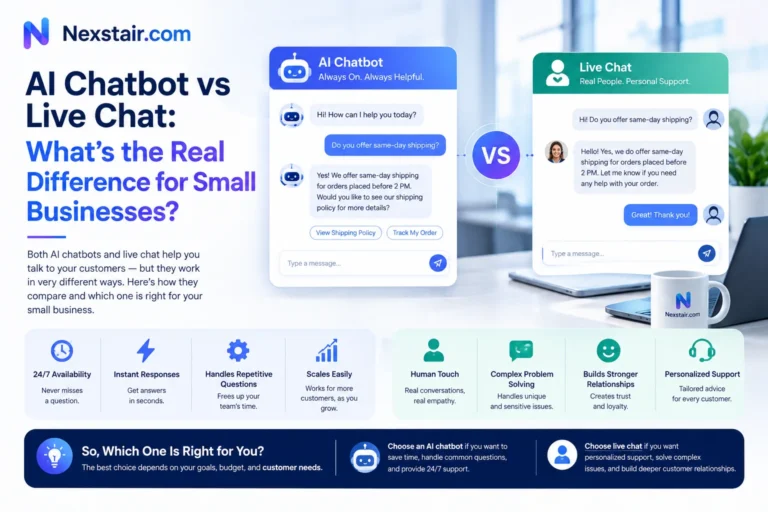
A chatbot is typically designed for a narrow purpose, usually answering questions or following a set script within a chat window. A virtual assistant is generally broader: it understands context, works across multiple channels, connects to several systems, and can complete a wider range of tasks.
In practice, the line is blurring. Many modern chatbots are really AI virtual assistants under the hood. The key difference to look for is capability: can it merely respond, or can it understand, remember, and act?
What Are the Real-World Uses of AI Virtual Assistants?
Virtual assistants are showing up in nearly every industry. Here are some of the most common uses.
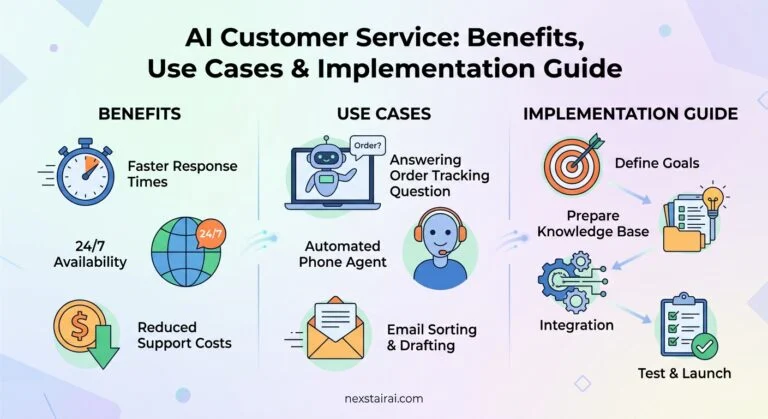
Customer support. Answering FAQs, tracking orders, handling returns, and escalating tricky issues to human agents, all around the clock.
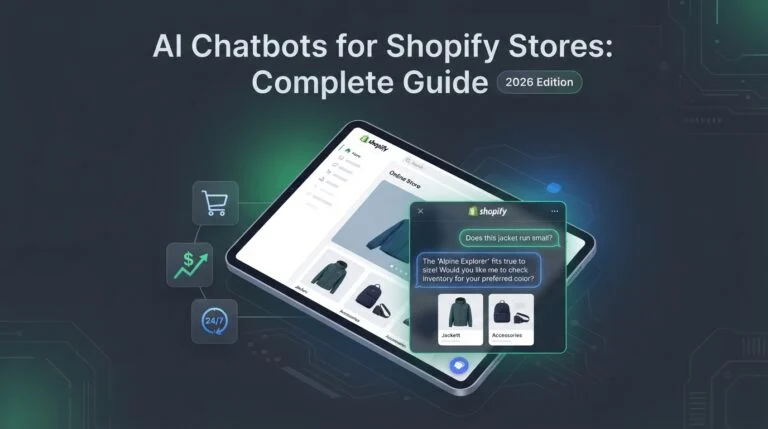
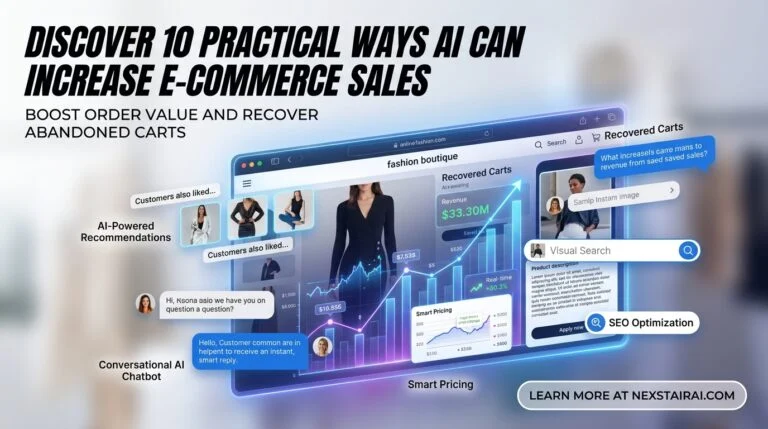
E-commerce. Recommending products, answering sizing and shipping questions, and nudging shoppers who hesitate at checkout.
Healthcare. Scheduling appointments, sending reminders, and answering basic administrative questions (while leaving medical decisions to professionals).
Banking and finance. Checking balances, explaining fees, and guiding customers through routine account tasks securely.
Real estate. Answering listing questions, qualifying leads, and booking property viewings.
Hospitality and travel. Handling reservations, itinerary questions, and local recommendations.
Human resources. Answering employee questions about policies, benefits, and time off, and helping with onboarding.
Sales and marketing. Qualifying leads, capturing contact details, and booking demos for the sales team.
What Are the Benefits of Using an AI Virtual Assistant?
Businesses and individuals adopt virtual assistants for good reasons.
- 24/7 availability. Help is there whenever customers need it, across every time zone.
- Instant responses. No more waiting in queues or for email replies.
- Cost efficiency. Handling more conversations without proportionally growing your team.
- Consistency. The same accurate answer every time, based on your approved information.
- Scalability. Whether you have ten conversations a day or ten thousand, the assistant keeps up.
- Happier teams. Employees spend less time on repetitive tasks and more on meaningful work.
- Useful insights. Conversations reveal what customers really want to know, helping you improve your products, website, and policies.
- More sales. Quick answers and helpful recommendations remove friction and help customers complete purchases.
Curious how much time and money a virtual assistant could save your business? NexstairAi can help you map out the opportunity and get started without the guesswork.
What Are the Limitations of AI Virtual Assistants?
It’s worth being realistic. Even great assistants have limits.
- They can misunderstand. Unusual phrasing, heavy ambiguity, or very niche topics may trip them up.
- They depend on their information. If the knowledge base is outdated or incomplete, the answers will be too.
- They can sometimes be wrong. Language-model-based systems may occasionally produce confident but inaccurate responses, which is why guardrails and good source material matter.
- They lack true human empathy. They can detect sentiment, but emotionally sensitive situations still benefit from a real person.
- Privacy and security need attention. Handling personal data responsibly requires proper safeguards and compliance.
The good news is that all of these can be managed with thoughtful design: clear boundaries, quality information, regular reviews, and an easy path to a human when needed.
How Do You Choose the Right AI Virtual Assistant for Your Business?
If you’re thinking about adopting one, ask yourself these questions.
- What problem am I solving? Support volume, lead capture, scheduling, internal help, or something else?
- Which channels do my customers use? Website, WhatsApp, Instagram, email, phone?
- What systems does it need to connect to? Your CRM, calendar, store, or helpdesk?
- How customizable is it? Can you control tone, workflows, and escalation rules?
- How does it handle human handoff? The transition should be smooth, with full context passed along.
- What does security look like? Look for data protection and compliance with regulations relevant to your customers.
- Can I see performance data? Good analytics help you measure and improve.
- What support will I get? Setup and ongoing optimization make a big difference to results.
How Do You Get Started With an AI Virtual Assistant?
You don’t need a massive project to begin. A simple path looks like this:
- Identify your top 5 to 10 most common customer questions or tasks.
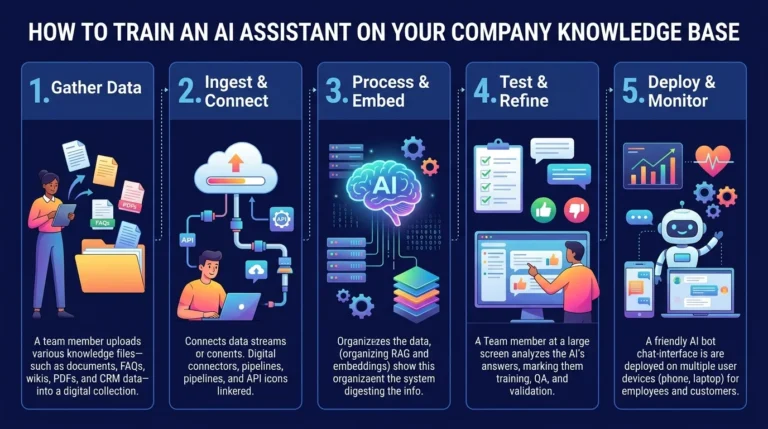
- Gather accurate, up-to-date information such as FAQs, policies, and product details.
- Choose a platform or partner that fits your needs and integrates with your tools.
- Set up and test with real-world questions before launching.
- Launch on one channel first, then expand as you gain confidence.
- Review conversations regularly, improving responses and adding new capabilities over time.
Starting small and growing steadily is almost always better than trying to automate everything at once.
What Does the Future Hold for AI Virtual Assistants?
The technology is moving quickly. A few trends worth watching:
- More proactive help. Assistants that reach out with useful information before you ask, such as shipping delays or appointment reminders.
- Greater autonomy. Agentic assistants that complete multi-step tasks within rules you set.
- Richer personalization. Better memory of preferences and history, creating more natural, tailored experiences.
- Multimodal interaction. Assistants that understand text, voice, images, and documents all in one conversation.
- Smoother voice experiences. Phone and voice interactions that feel increasingly human and natural.
- Stronger safeguards. Better accuracy controls, privacy protections, and transparency about when you’re talking to AI.
The businesses that start learning and experimenting now will be best positioned to benefit as these capabilities mature.
Final Thoughts: Is an AI Virtual Assistant Worth It?
An AI virtual assistant is, at its heart, a digital teammate. It listens to what people ask, understands what they mean, finds or does what’s needed, and responds in a way that feels natural, all in a matter of seconds and at any hour of the day.
Under the hood, it’s a clever combination of speech recognition, language understanding, decision-making, integrations, and language generation. But from the customer’s point of view, it’s simple: they ask, and they get helped.
For businesses, the payoff is faster service, lower costs, happier teams, and more room to grow. The key is to start with a clear goal, give your assistant good information, keep humans available for the moments that matter, and keep improving based on real conversations.
Ready to bring an AI virtual assistant into your business? Visit nexstairai.com to explore how a custom-built assistant can help you serve customers better, save time, and grow with confidence.