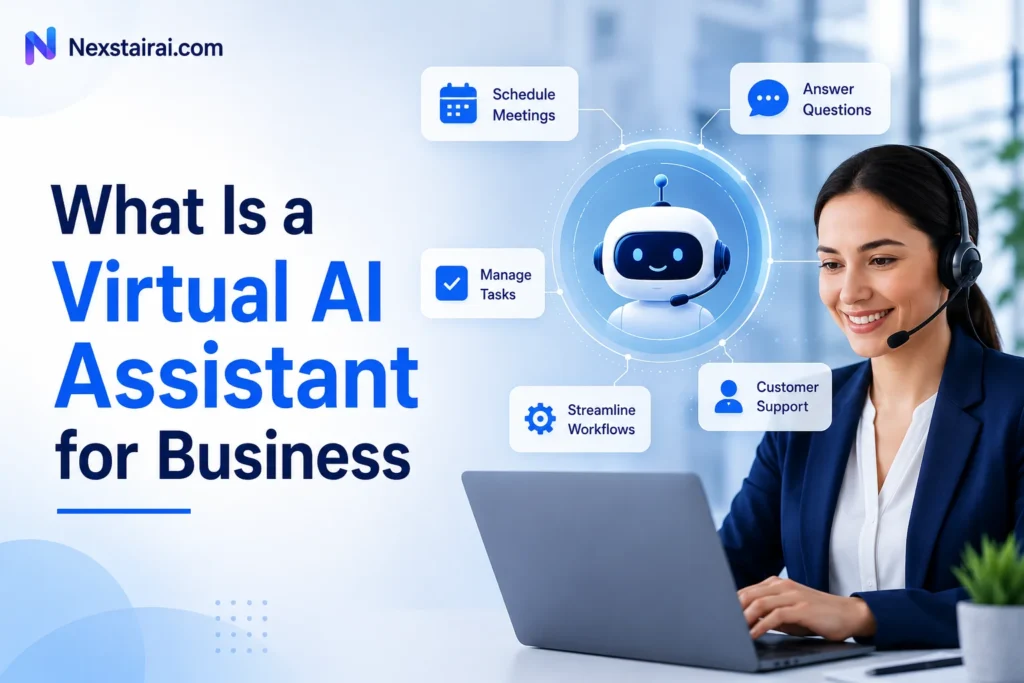
A virtual AI assistant handles tasks like answering customer questions, drafting content, and scheduling, using natural language processing to understand what you ask and machine learning to get better at it over time. Businesses use it to free up staff hours without adding headcount. Nexstair AI builds this kind of assistant for e-commerce stores, growing SMBs, and larger teams that want it running inside their existing workflow, not bolted on as a separate tool.
This guide breaks down what a virtual AI assistant is, how it differs from a chatbot or an AI agent, the types businesses actually deploy, and what to check before you pick one.
What a Virtual AI Assistant Actually Does
A virtual AI assistant completes tasks on request. You ask it to summarize a document, draft a reply, pull a report, or answer a customer’s question, and it does the work instead of just pointing you toward an answer. That’s the core difference between an assistant and a search tool: it acts on your behalf.
It reads typed or spoken input, works out the intent behind it, and either responds directly or carries out the next step. A support query becomes an instant answer. A pile of invoices becomes a categorized spreadsheet. A vague request like “summarize this thread” becomes three bullet points you can act on. And it keeps improving as it sees more of how your business actually operates.
For a small team, that adds up fast. Fewer repetitive replies to type. Fewer hours lost to manual data entry. More time spent on the work that actually needs a human.
How Virtual AI Assistants Work
Two technologies carry most of the load. Natural language processing lets the assistant understand plain language, whether typed or spoken, including typos and phrasing variations. Machine learning lets it improve by recognizing patterns in the requests you send it over time.
In practice, the flow stays simple. You describe what you need. The assistant interprets the request. It responds or completes the task, then logs what happened so the next request gets handled faster. None of this requires you to learn a new syntax or memorize commands. You talk to it the way you’d talk to a coworker.
Some assistants also connect to the tools you already run, like a CRM, a calendar, or a help desk. That connection is what turns a simple Q&A bot into something that can actually check an order status or reschedule a meeting without you touching a second app.
Virtual Assistant vs Chatbot vs AI Agent
These three terms get used interchangeably, but they aren’t the same thing, and the distinction matters when you’re picking a tool.
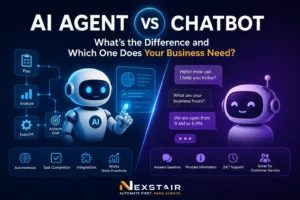
A basic chatbot follows fixed scripts and answers a narrow set of pre-written questions. Ask it something outside that script and it stalls or hands you off to a human. A virtual assistant is more flexible. It can generate new responses, handle requests it hasn’t seen phrased that exact way before, and complete a task rather than just answering a question. An AI agent goes a step further still, carrying out multi-step processes with less direct input at each stage, like qualifying a lead, logging it, and scheduling a follow-up call in one pass.
For most businesses evaluating AI for the first time, a virtual assistant is the practical middle ground. It’s more capable than a scripted chatbot, but it doesn’t require the process mapping that a fully autonomous agent setup often does.
Types of AI Assistants Businesses Use
Most companies end up combining more than one type rather than picking a single one.
Customer-facing assistants answer frequently asked questions, resolve support tickets, and capture leads around the clock. Productivity assistants live inside email, calendars, and documents, drafting content, scheduling meetings, and summarizing long threads. Voice assistants respond to spoken commands, useful for hands-free tasks like field service or reception. Purpose-built assistants get configured for one specific job, such as order tracking, appointment booking, or routing incoming tickets to the right team.
An e-commerce store might run a customer-facing assistant on its storefront and a productivity assistant internally for its support team. A law firm might lean more on document summarization and intake screening. The type that matters is the one that removes the bottleneck your team actually has.
Retail and e-commerce businesses tend to see the fastest payoff from customer-facing assistants, since order status questions, sizing queries, and return requests repeat constantly and rarely need a human touch. Professional services firms, from accounting to legal, often get more value from productivity assistants that draft correspondence and summarize case files. Enterprise teams frequently deploy several assistant types at once, each scoped to a specific department, since a single generalist assistant rarely fits the depth of a sales team’s needs and a support team’s needs equally well.
What Businesses Use AI Assistants For
The use cases that produce measurable results tend to be practical rather than flashy.
On-demand customer service tops the list. An assistant trained on your FAQs and order history can resolve routine questions instantly, day or night, without a customer waiting on hold. Lead capture and qualification follow close behind, since an assistant can ask the right screening questions on a website before a human ever gets involved.
Back-office work benefits too. Scanning receipts and invoices, tagging them by category, and pulling the details into a spreadsheet saves hours that would otherwise go to manual entry, especially around tax season. Customer reviews and support transcripts, read by an assistant instead of by hand, surface recurring complaints or feature requests a lot faster than someone skimming spreadsheets ever could.
Sales teams use assistants to draft outreach, personalize follow-ups based on a prospect’s activity, and log conversations automatically into the CRM. According to PwC, AI could add more than $15 trillion to the global economy by 2030, and a meaningful share of that comes from exactly this kind of operational time savings, not headline-grabbing automation.
Industries Where Assistants Make the Biggest Difference
Some industries feel the impact faster than others simply because they run on high volumes of repetitive questions.
Healthcare practices use assistants to handle intake forms, insurance verification, and appointment scheduling before a patient ever reaches the front desk, cutting wait times without adding administrative staff. Insurance providers lean on assistants to answer policy and claims-status questions that would otherwise queue up in a call center. Utilities use them for billing questions and outage reporting, often as the first point of contact when a customer needs a fast answer. IT and HR teams use them internally to handle password resets, benefits questions, and onboarding paperwork, freeing specialists to work on issues an assistant genuinely can’t resolve.
The common thread across every one of these is volume paired with repetition. If your business fields the same handful of questions dozens or hundreds of times a week, that’s the clearest signal an assistant will pay for itself quickly.
Data Privacy and Security Considerations
Before rolling out any assistant, ask how it’s trained and what happens to the data it touches. This matters most in businesses handling payment details, health information, or other sensitive records.
Look for an assistant with built-in safeguards around data storage and access, not one bolted on after the fact. Ask what steps the provider takes to reduce bias in its responses and how it handles intellectual property, since generated content can raise questions if the underlying training data isn’t clear. A provider that can’t answer these questions directly isn’t one to build a customer-facing workflow on top of.
None of this means avoiding AI assistants. It means asking the same due diligence questions you’d ask before adopting any tool that touches customer data.
How to Choose a Virtual AI Assistant
Start with fit, not features. Does the assistant support the tasks your team actually does every day, and does it work with the apps you already run, like your CRM, your inbox, or your booking system? A tool that requires you to rebuild your stack around it rarely gets adopted well.
Weigh the upfront cost against the time it saves, and plan for a short adjustment period. Teams that get clear communication about what’s changing tend to adapt within days, not months. Ask for a trial period if one’s available, and test the assistant on your messiest, most repetitive task first. That’s where the return shows up fastest, and it’s the clearest signal of whether the tool actually fits.
Getting Started with an AI Assistant
You don’t need to automate everything on day one. Pick the single task eating the most hours each week, whether that’s answering the same five customer questions over and over or manually logging every lead that comes through your contact form. Choose a tool built for that task, run it for a few weeks, and expand from there once you trust the output.
Nexstair AI’s assistant is built to plug into your existing workflow from the start, so there’s no lengthy setup or custom development before you see it working. Explore what it can automate for your team on the AI Assistant page, or pair it with an SEO Audit Report to see where your site’s visibility stands at the same time.
Frequently Asked Questions
What is a virtual AI assistant?
A virtual AI assistant is software that uses AI to complete tasks like answering questions, drafting content, or analyzing data, based on typed or spoken requests. It relies on natural language processing to understand you and machine learning to improve with use.
How is a virtual assistant different from a chatbot?
A chatbot follows fixed scripts and handles a narrow set of pre-written questions. A virtual assistant is more flexible and can generate new responses or complete tasks it hasn’t encountered in that exact form before.
Is a virtual AI assistant the same as an AI agent?
No. A virtual assistant responds to a specific request and completes it. An AI agent carries out multi-step processes with less ongoing input, such as qualifying a lead, logging it, and booking a follow-up in one sequence.
What can a small business automate first with an AI assistant?
Most businesses start with the single most repetitive task on their plate, commonly customer FAQs, receipt tagging, or lead intake. Starting narrow makes the return easier to measure before expanding to other tasks.
Are AI assistants secure enough for customer data?
Security depends on the provider, not the technology itself. Ask specifically how data is stored, who can access it, and what safeguards apply to sensitive categories like payment or health information before deploying an assistant on customer-facing channels.
How long does it take to set up a virtual AI assistant?
Most business assistants can be configured and deployed within a few minutes to a few days, depending on how many workflows and integrations are involved. Starting with one task keeps setup time short.